Connecting Claude to the Entra MCP Server – No Client Secret Required
Update on my previous article regaring MCP Server for enterprise integration with Claude, this time without using a secret

Things have changed!
Back in May 2026, I published an article about connecting Claude to the Microsoft MCP Server for Enterprise.
The integration worked, but there was one thing I didn’t particularly like: the Client Secret.
But I have some good news! I recently revisited the configuration in my lab (for my presentation at Security Ninjas) and successfully connected Claude using Authorization Code Flow with PKCE (Proof Key for Code Exchange). No Client Secret required!
This is a short update to my original article, not the promised second part of the series.
How does it work?
The overall architecture hasn’t changed. Claude authenticates against Entra ID, obtains an access token for the MCP Server for Enterprise, and the MCP Server uses the On-Behalf-Of (OBO) flow to access Microsoft Graph.
Access is still based on delegated permissions and the privileges of the signed-in user.
MCP Server for Enterprise – Components and token flow
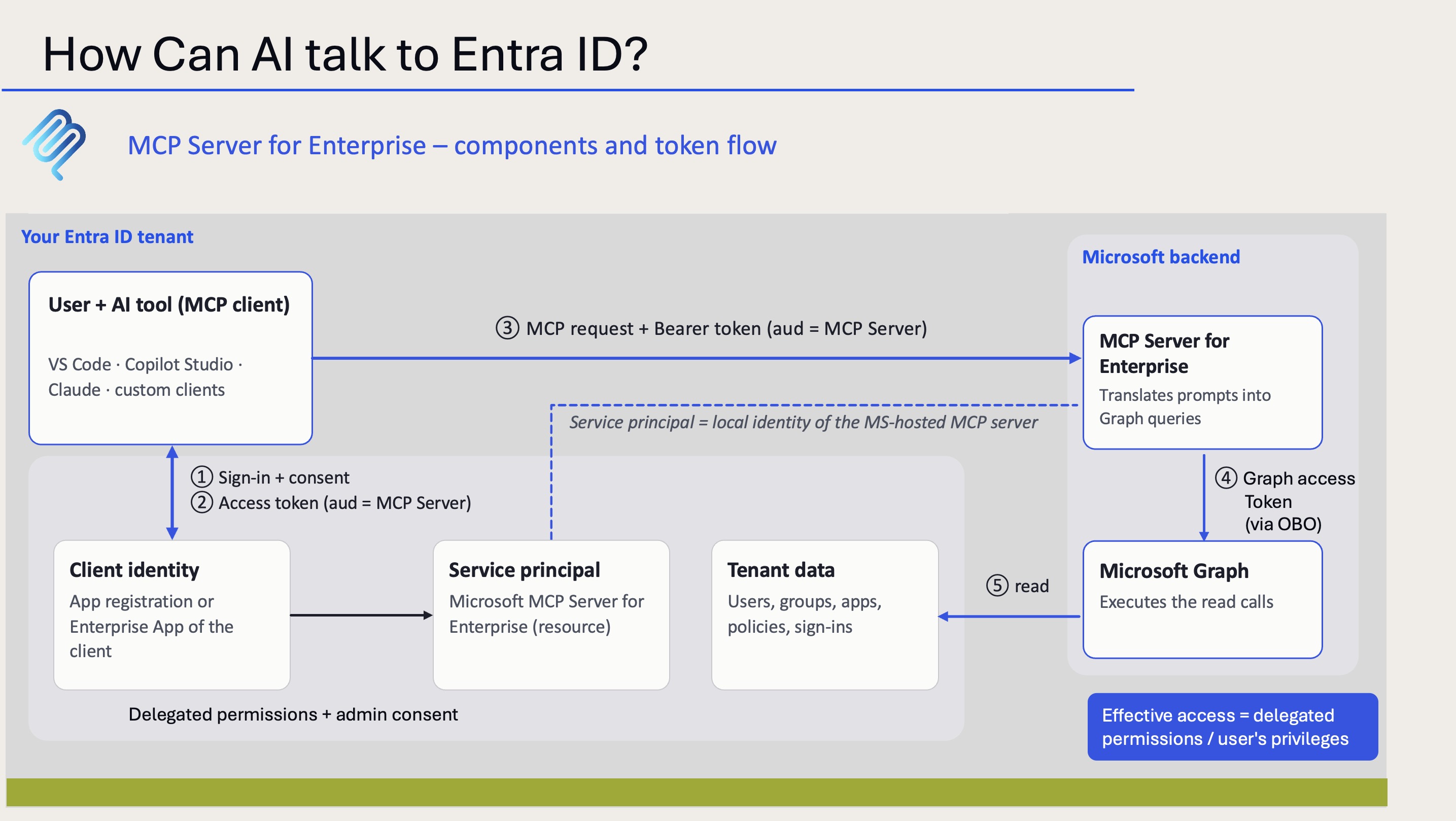
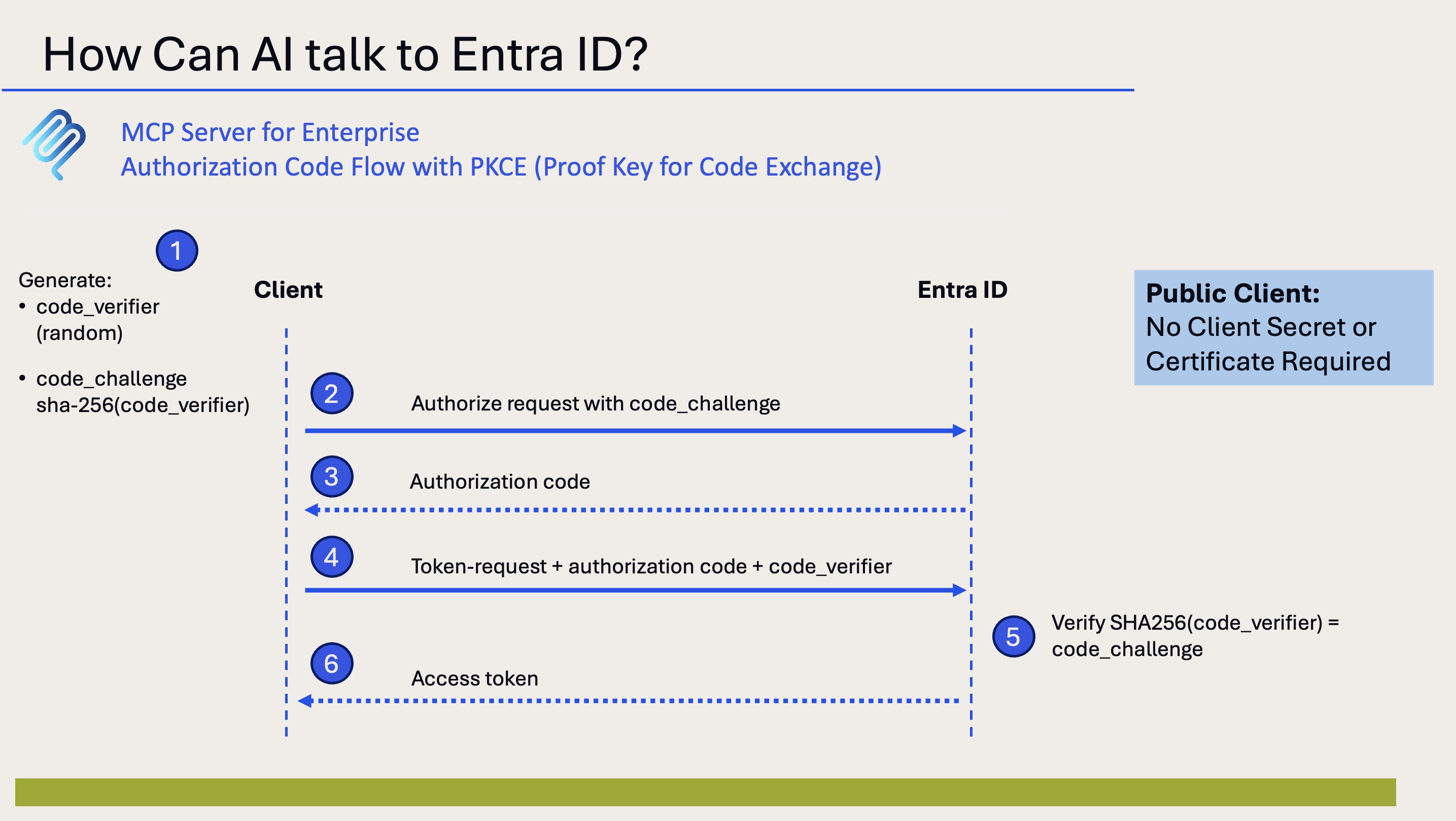
What has changed is the authentication flow. Instead of using a Client Secret, the public client uses PKCE to protect the authorization code exchange.
The client generates a code_verifier and a corresponding code_challenge. Entra ID validates the verifier during the token exchange before issuing the access token.
Authorization Code Flow with PKCE
My setup with Claude
For my test, I started from scratch rather than modifying the existing configuration:
Created a new App Registration in Entra ID.
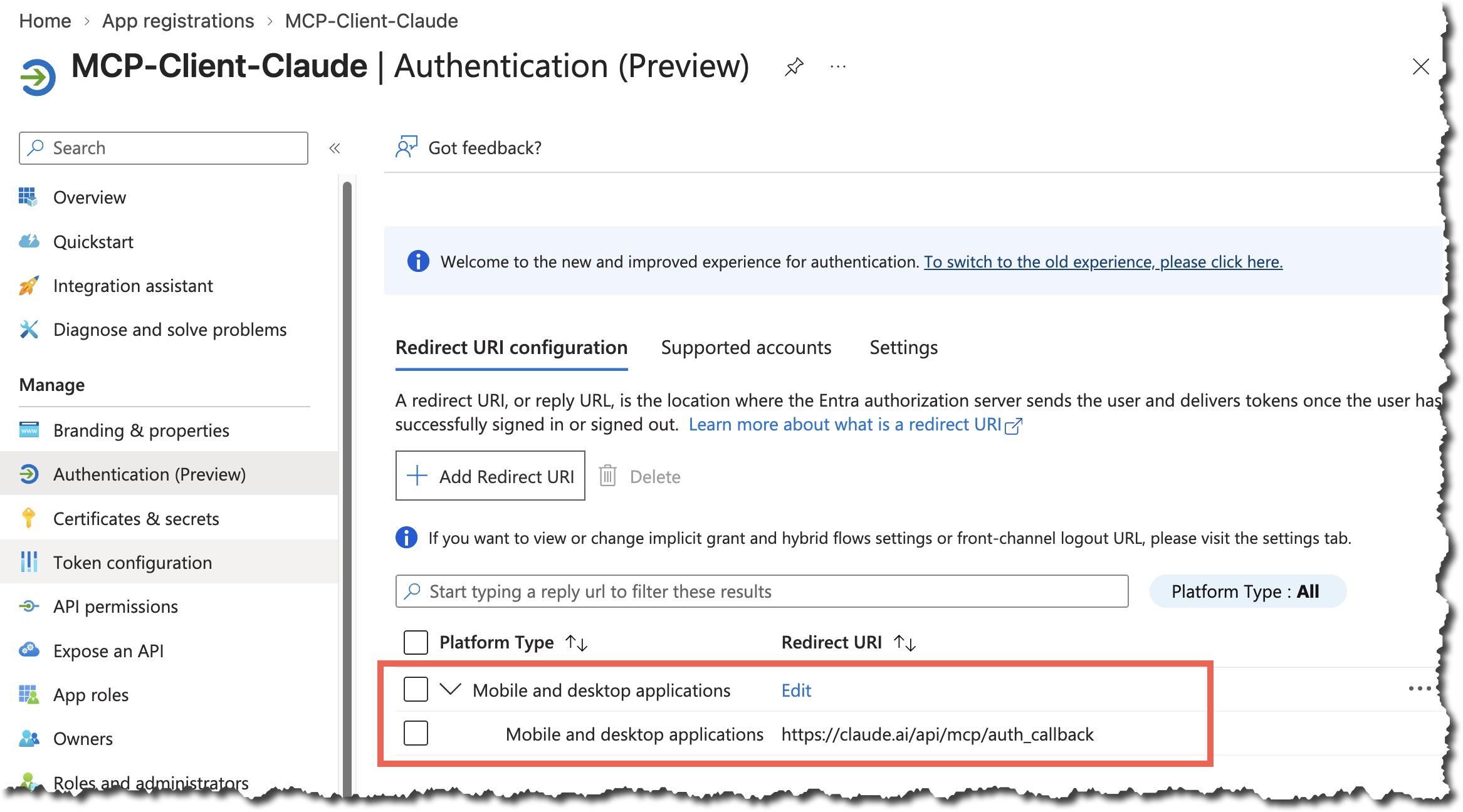
Configured the Redirect URI under Mobile and desktop applications instead of Web.
Did not create a Client Secret.
Created a new connector in Claude using the new App Registration.
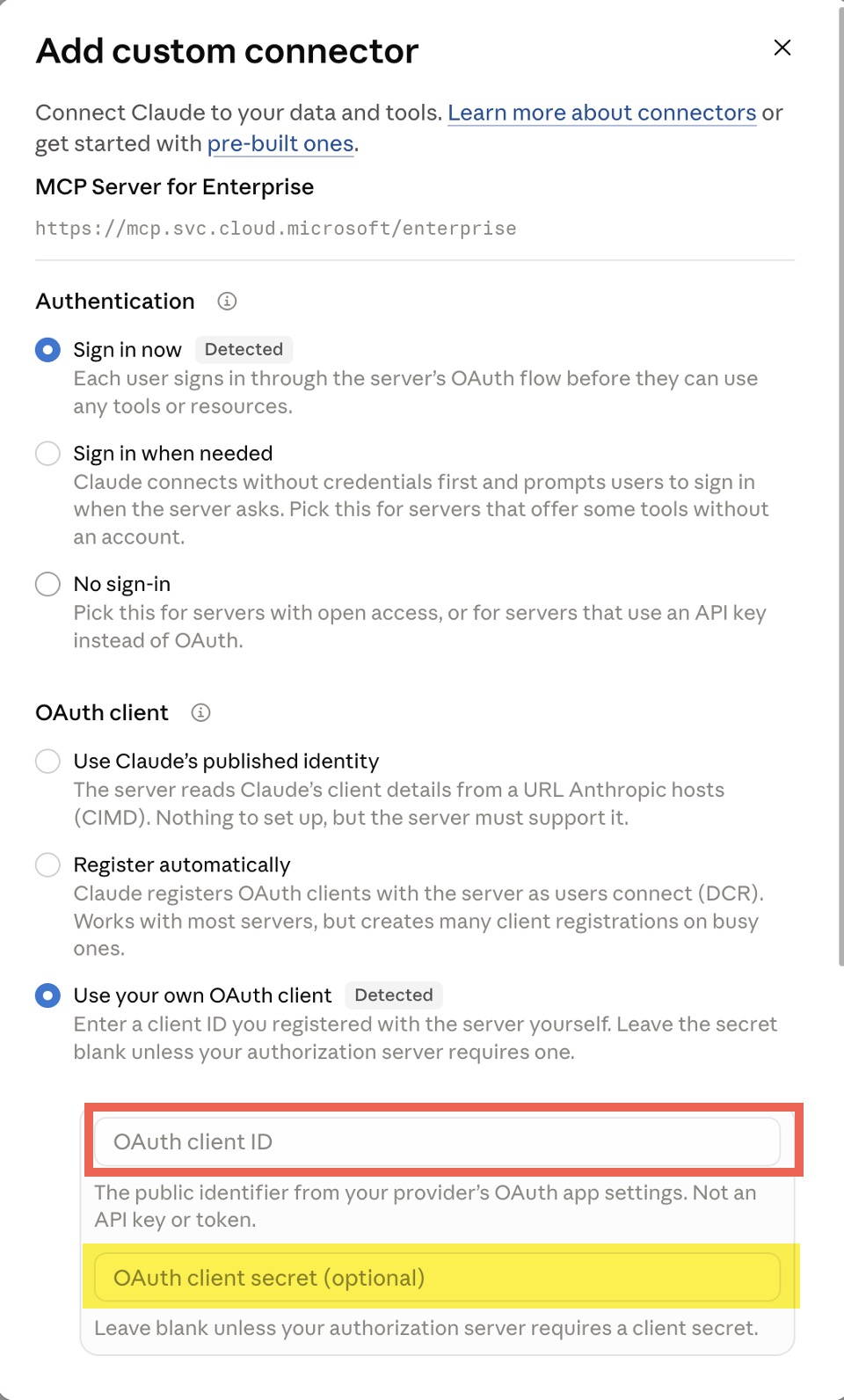
And it worked! Claude successfully connected to the MCP Server for Enterprise using PKCE.
One App Registration – multiple administrators
This is probably my favorite part of the new setup.
Imagine an administration team where several administrators want to use Claude with the MCP Server for Enterprise.
With the previous secret-based configuration, sharing the setup meant dealing with a shared client credential. Someone had to manage, distribute, protect, and eventually rotate that secret.
With a public client using PKCE, multiple administrators can use the same App Registration without sharing a Client Secret.
Each administrator signs in with their own Entra ID identity. Access remains subject to delegated permissions, consent, and the privileges of the individual user.
This makes the integration much more practical for administration teams.
Final thoughts
For me, PKCE is a welcome improvement. No Client Secret to distribute, store, or rotate, and a much cleaner approach for teams with multiple administrators.
Of course, PKCE doesn’t solve every concern. Access tokens still need protection, and sending Entra ID information to an external AI service like Claude remains a data privacy consideration.
But for the authentication setup, this is a significant step forward.
Same MCP Server. Same delegated permissions. No shared secret.
And the promised second part of my MCP Server series? Still on my list!